

Knowledge graph
Browse the things in your data, such as customers, orders and places, and follow how they connect across tables.
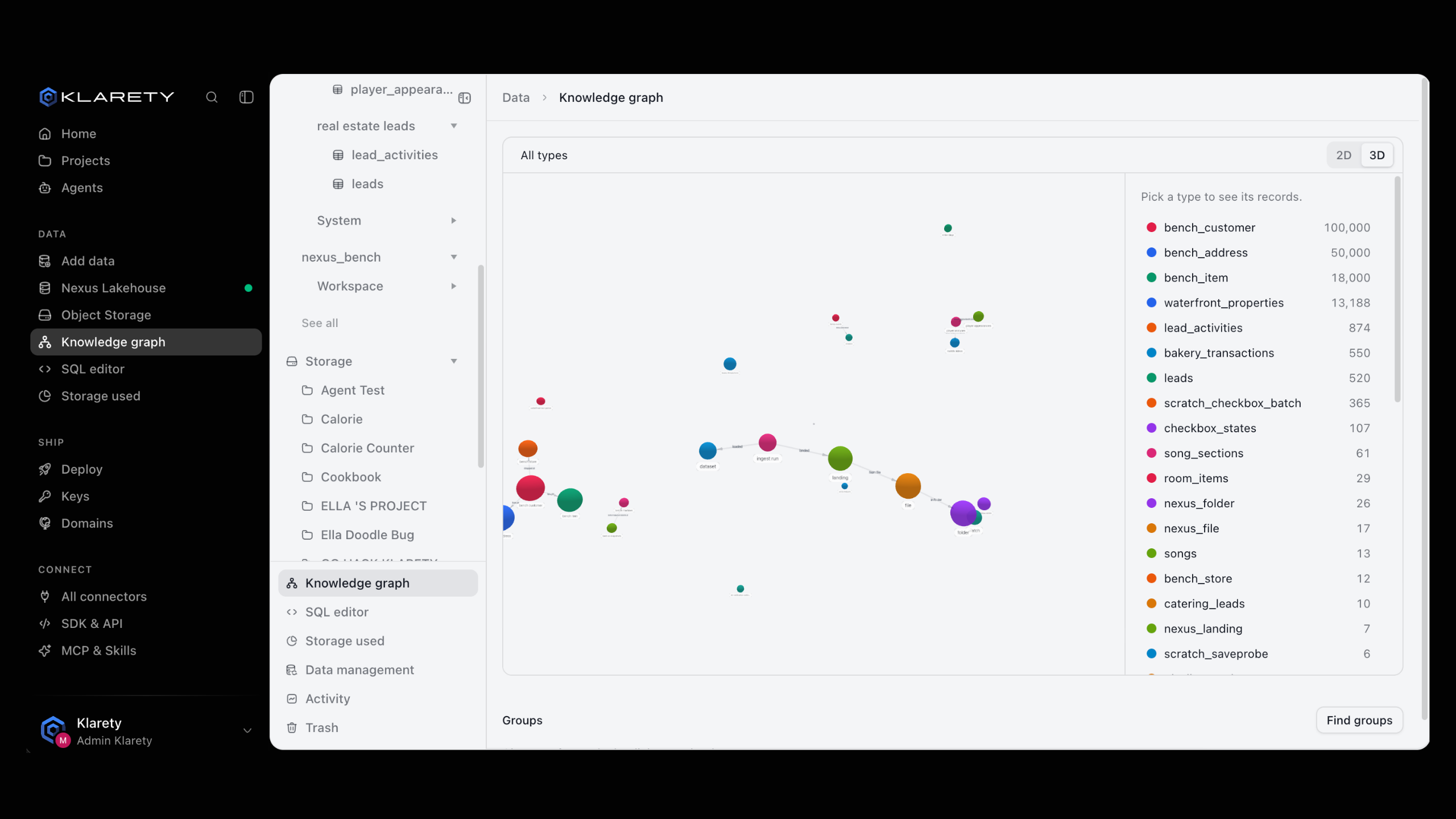
The shows your data as things and the links between them: a customer links to orders, an order to products, a product to its supplier. Instead of writing joins, pick a customer and see everything connected.
The idea in plain words
- A type is a kind of thing, such as
customerororder. Each type is one of your with a key column, the column that names each row. - A record is one thing of that type: one row of the table.
- A link joins two records. Links come from your data:
- a column that names another record, such as
customer_idin an order; - a table of pairs, for many-to-many links such as students and courses;
- or links finds for you: records at the same place or time, records that are alike, or two records that are the same real thing.
- a column that names another record, such as
- A group is a set of records that link to each other more than to the rest.
Nothing is copied. The graph is laid over your existing tables, so it always shows current data, and each person sees only records they have access to.
Before you start
- You need tables with a key column. A type without one shows no key declared yet, and its records cannot be explored.
Types and links are defined in code with the . Once defined, everyone with access browses them in the app.
Browse the graph
Open the graph
Go to Data and open Knowledge graph. The map shows each type with its number of records. A type marked kept by Nexus is one Klarety keeps for you.
Pick a type
Select a type to see its records. Type in Filter to find one.
Follow the links
Open a record to see the records connected to it. Select Show more for more. The trail at the top shows where you are; select All types to start again.
from klarety import Nexus

with Nexus.connect() as nx:
    overview = nx.knowledge_graph.overview()
    for node in overview["nodes"]:
        print(node["name"], node["rows"])

    keys = nx.knowledge_graph.nodes("customer", starts_with="C-1")
    nearby = nx.knowledge_graph.around("customer", keys[0], hops=2)
    for node in nearby["nodes"]:
        print(node)

    paths = nx.knowledge_graph.path(("customer", keys[0]), ("supplier", "S-7"), hops=3)
    print(paths)
around() walks up to 3 hops and returns the nearest records first; follow next_cursor for the next page. If stopped_at_budget is true, the walk reached your plan's limit before it finished. path() finds the shortest ways between two records, up to 4 hops.
Find groups
In the Groups panel, select Find groups. Each group shows how many records it holds and its Hub, the record most linked within it. Select Find again after your data changes.
for group in nx.knowledge_graph.communities(limit=10):
    print(group["size"], group["central_type"], group["central_key"])

print(nx.knowledge_graph.central(node_type="customer", limit=5))
Define types and links
Read the definition, change it, and send it back with the version you read. If someone changed it in between, the write is refused: read again and retry.
from klarety import Nexus

with Nexus.connect() as nx:
    current = nx.knowledge_graph.definition()
    definition = {
        "nodes": [
            {"name": "customer", "table": {"schema": "default", "table": "customers"}, "key": "customer_id"},
            {"name": "order", "table": {"schema": "default", "table": "orders"}, "key": "order_id"},
        ],
        "edges": [
            {
                "name": "placed_by",
                "source": "order",
                "target": "customer",
                "held_by": {"kind": "column", "column": "customer_id"},
            },
        ],
    }
    nx.knowledge_graph.define(definition, version=current["version"])

    for result in nx.knowledge_graph.check("customer", "order"):
        print(result)
check() tests up to 16 types against a sample of their data and reports keys that are missing or repeated and links that point nowhere. Found links are built in the background: build() queues them and status() says when each was last built. define() replaces only your part of the graph; parts you cannot see are kept as they were.
Types and links are defined in code by a developer. Switch to the developer view to see how.
What can go wrong
Where to go next
- Work with tables: declare keys and linked tables.
- Knowledge graph from code: the full SDK reference.
- Data access: who sees which records.