

Your sign-in stays yours
Why no one else can use your AI subscription.
Signing in to Claude Code, Codex or Cursor in a trusts Klarety with your own subscription. It stays personal: your sign-in works for you, in the Studio where you are working, and for nobody else.
What Klarety does with your sign-in
- It is encrypted with your own key. A key that belongs to you alone, from a managed key service. It is not shared with your or anyone else.
- It is kept outside the Studio. Between sessions, no Studio holds a copy until you open your tool there.
- It is opened only where you are working now. It opens in that Studio only, for you, and is put away when you stop. That is why a tool runs in one of your at a time, and the Studio offers Move here in a second one.
- No teammate can use it. Not a workspace Admin, not the project's Owner, not someone in the same Studio at the same time. Your tool runs in your own terminal, as you.
In short
Only you can use your sign-in, and only in the Studio where you are working now.
What you can see
Your plan usage per tool (how much you used and when it resets) is shown only to you, on the tool's page in Connectors under AI harness. It comes from the tool while it runs in one of your Studios, never from your account.
Use your subscription as the vendor allows
Your subscription is between you and that vendor. Use it in Klarety only as their terms allow. Klarety never pools it or lends it to a teammate.
Remove your sign-in
Disconnect the tool
Under Your AI tools, select Disconnect next to the tool, and confirm.
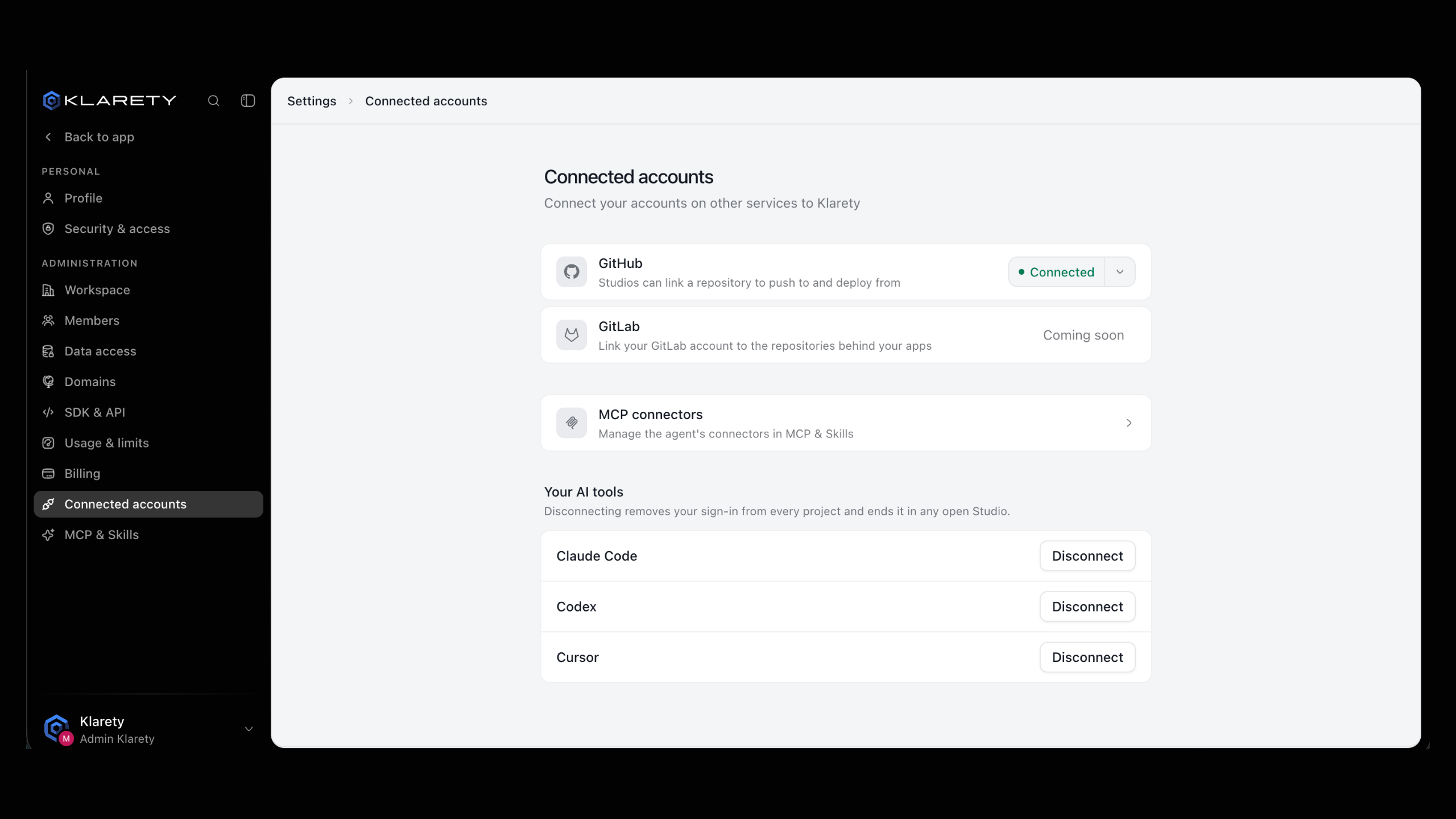
Your sign-in is deleted from Klarety, in every project, and any open session ends. You can connect again any time.
What a workspace admin can and cannot do
A workspace Owner or Admin can turn a tool off for the whole workspace, in SettingsWorkspace under AI tools, so nobody can open it. They cannot see, use or copy your sign-in.
Removing you from a project ends your sessions in that project's Studio.