

SDK quickstart
Install the Python SDK, connect to Nexus with an API key and run your first query.
The Klarety Python gives your code one object, Nexus, that reaches everything in your : , tables, files and folders, connections, agents and jobs. This page gets you to a first query in about five minutes.
Before you start
- Python 3.11 or newer. Check with
python3 --version. - An . Only workspace admins create keys; otherwise ask one (see Members).
- on the workspace. A key spends the workspace's credits, so queries run only while there are some.
Available on request
The Klarety SDK and CLI are available on request. To request access for your workspace, contact us.
Install the SDK
pip install klaretyUse a virtual environment if you work on more than one project:
python3 -m venv .venv
source .venv/bin/activate
pip install klarety
Create an API key
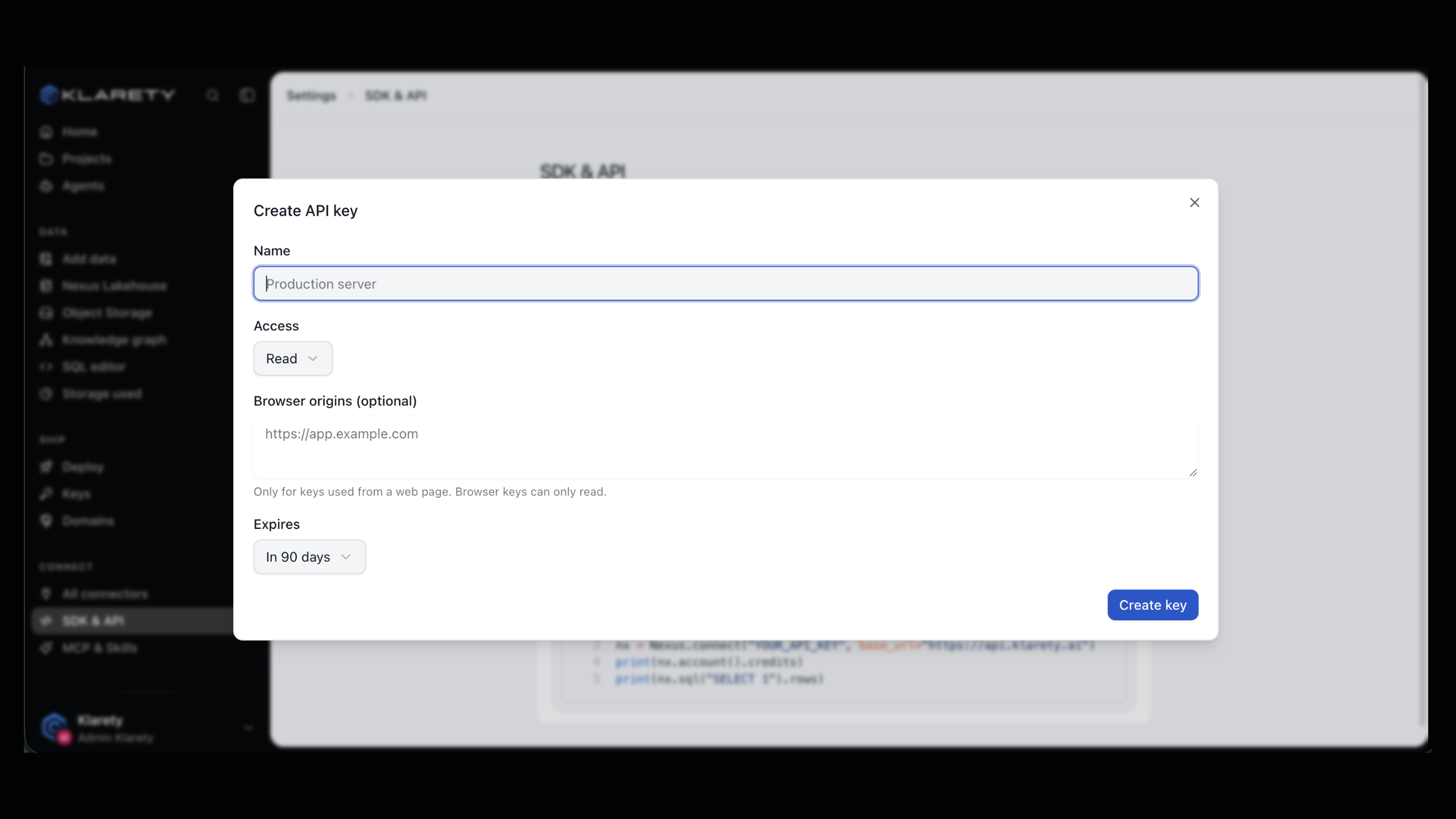
Open SettingsSDK & API, select Create key and verify it is you. Give the key a Name (for example "Laptop" or "Production server"), choose its Access, and set when it Expires. Leave Browser origins empty; it is only for keys used from a web page.
Copy the key now. It is shown only once.
Put the key in your environment
The SDK reads the key from KLARETY_API_KEY, so it never has to appear in your code.
export KLARETY_API_KEY="paste-your-key-here"On a laptop you can store it in your system keychain instead, with the CLI: see Authentication.
Connect and check your account
from klarety import AuthError, Nexus

try:
    nexus = Nexus.connect()
except AuthError as refused:
    raise SystemExit(f"Sign-in failed: {refused}")

with nexus:
    account = nexus.account()
    print("Workspace:", account.org_id)
    print("Plan:", account.plan)
    print("Credits:", account.credits)
Nexus.connect() exchanges your key for a one-hour token and renews it. account() returns an Account with org_id, user_id, roles, plan and credits. plan and credits are None when unreadable, so a missing balance is distinct from zero.
Run your first query
Add this inside the with nexus: block:
    result = nexus.sql("SELECT 1 AS ok")
    print(result.rows)
Run it:
python first_query.pyCheck that it worked
You see your workspace ID, your plan, your credit balance and the row of the query:
Workspace: <your workspace ID>
Plan: <your plan>
Credits: <your balance>
[{'ok': 1}]
nexus.sql() returns a ResultSet. Its rows are dictionaries keyed by column name, bytes_scanned says how much data the query read, and truncated is True when there were more rows than came back. Run SQL explains each field.
A complete first script
This script lists your tables and queries one, with real error handling.
from klarety import (
    AuthError,
    InsufficientCreditsError,
    Nexus,
    RefusedError,
    ServiceError,
)

try:
    with Nexus.connect() as nexus:
        tables = nexus.tables.list()
        for table in tables:
            print(table["name"])

        if tables:
            first = tables[0]["name"]
            result = nexus.sql(f"SELECT * FROM {first} LIMIT 5")
            for row in result.rows:
                print(row)
except AuthError:
    print("The key was not accepted. Check KLARETY_API_KEY, or create a new key.")
except InsufficientCreditsError:
    print("The workspace is out of credits. Add credits in the app.")
except RefusedError as refused:
    print(f"Not allowed: {refused}")
except ServiceError as failed:
    print(f"Klarety could not answer, try again shortly: {failed}")
Connect without the environment variable
You can pass the key directly, for example when you read it from your own secret store:
nexus = Nexus.connect(api_key=my_secret_store.get("klarety"))connect() also takes timeout (seconds per request, 30 by default). Close the connection when you are done, with nexus.close() or by using with.
Keep keys out of source control
A key acts as your whole workspace and spends its credits. Never commit it or paste it into a web page. If one leaks, revoke it in SettingsSDK & API at once.
If something goes wrong
| What you see | What it means | What to do |
|---|---|---|
AuthError: pass an api key or set KLARETY_API_KEY | No key was found. | Export KLARETY_API_KEY in the same shell, or pass api_key=. |
AuthError: api key rejected | The key is wrong, revoked or expired. | Create a new key and use it. |
InsufficientCreditsError | The workspace has no credits for this work. | Add credits, then run it again. |
ModuleNotFoundError: klarety | The SDK is installed in a different Python. | Activate your virtual environment and install again. |
Next steps
- Authentication: tokens, key rotation and the keychain.
- Run SQL: parameters, estimates and large results.
- Ingest data: load your files into tables.
- CLI: the same SDK from your terminal.