

Project settings
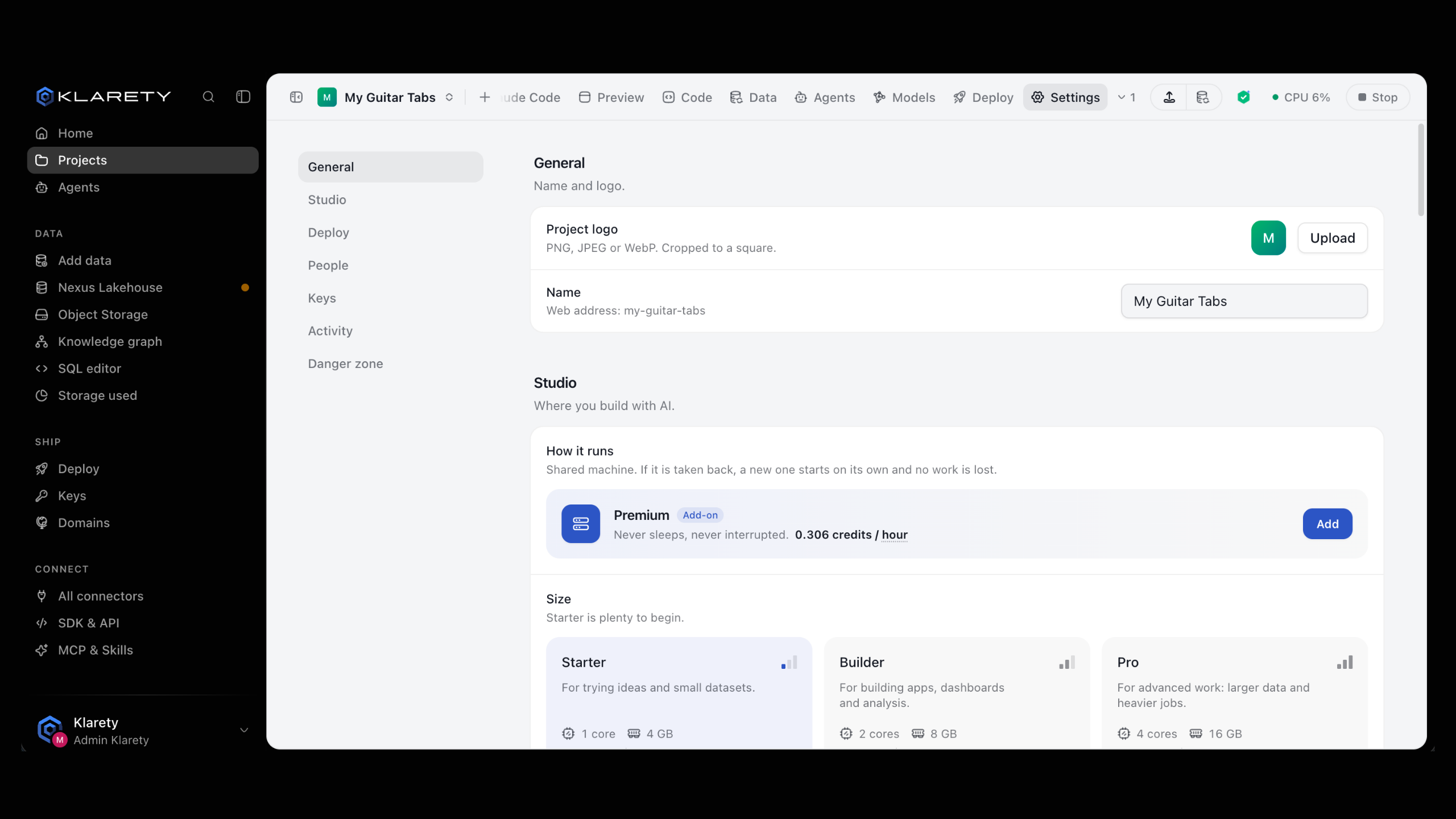
Rename, change the logo, manage people, deploys and activity.
Each has its own settings. Open them from the Settings tab in the , or Settings in the project's menu on the Projects page.
Sharing, Secrets and Activity are only for the project's Owner and Admins.
Before you start
- Changing settings needs the Owner or Admin . The Use role can open the Studio.
- Only the project's Owner can delete it.
General
Change the Name and logo. The logo is a PNG, JPEG or WebP, cropped to a square. Select Upload, Change or Remove.
from klarety import Nexus

nx = Nexus.connect()
nx.projects.update("YOUR_PROJECT_ID", name="Sales dashboard v2")

with open("logo.png", "rb") as image:
    nx.projects.set_avatar("YOUR_PROJECT_ID", image.read())
Studio
Each setting shows its range; values your plan fixes show "Set by your plan". The most used:
| Setting | What it does |
|---|---|
| Size | The computer your Studio runs on. Bigger is faster and costs more. |
| Stop when unused for | After this long with no typing, clicks or runs, the Studio stops and keeps your work. |
| Stop when nobody is around for | Stops the Studio even while the AI is still working, so a forgotten task cannot keep spending . |
| Warn before stopping | How long the notice shows before the Studio stops. |
| Save work every | How often the workspace is saved: the most work a crash can lose. |
| Internet | On, Only allowed (your connections and the sites you add) or Off. |
| Keep AI chats for | How long conversations with the AI are kept after their last message. |
Plugins turns Klarety Buddy on or off.
Deploy
- How it runs: each part of your app and when it runs. Select Ask AI to change to change it. See Run settings.
- Code: the GitHub repository this project saves to and from, and Deploys from, the branch whose merges go live (empty means the default branch).
- Logs: what your live app prints. Off until you turn on Keep logs; charged by the gigabyte kept. See Logs.
People
Select Add someone to add a teammate from your , then pick a role:
| Role | Can |
|---|---|
| Owner | Do everything, including delete the project. |
| Admin | Open the Studio, change settings and manage people. |
| Use | Open the Studio. |
Everyone in your workspace sets a role for every member at once, or No access. A person's own role can be higher. Remove takes someone off at once; you can add them again later.
Sharing
Share an app running in your Studio with the project's people. Pick the Port and For how long. They still sign in. Select Stop sharing to end it.
Keys
The connections, variables and secrets this project uses. Select Verify to view and confirm it is you to open it. See Secrets and environment variables.
Activity
Who opened this Studio, newest first, and what they opened: the editor, the AI, or an app on a port.
Danger zone
Each asks you to type a word first, so none fires by accident.
Deleting a project cannot be undone
The Studio stops, everyone loses access, and there is no way to get it back. Only the project's Owner can delete it.
| Action | Use it when |
|---|---|
| Allow API keys in the Studio | You need to paste a Klarety API key into the Studio. Off is safer: when on, anyone in the Studio can act with everything that key can do. |
| Cut the project's access | You think the project's credentials leaked. Anything running in the Studio loses access to your data and the platform at once. Open the Studio again to get fresh access. |
| Change repository | The project should save to and go live from a different repository. Work from the old one is kept in its own branches. |
| Rotate the app key | You think your live app's key leaked. The old key stops at once and your app gets a new one within a minute. |
| Delete this project | You no longer need it. The Studio stops, everyone loses access, and it cannot be undone. |
from klarety import Nexus

nx = Nexus.connect()
project_id = "YOUR_PROJECT_ID"

nx.studios.revoke_tokens(project_id)  # cut the Studio's access now
nx.projects.delete(project_id)        # owner only, cannot be undone