

Runs and approvals
Follow each run step by step, stop it, approve the next step, or run it again from any step.
Every time an starts, it makes a : one pass through its steps, with its own log, files, result and cost. Use runs to check the work, answer approvals and fix failures without starting over.
Before you start
| To | You need to be able to |
|---|---|
| See an agent's runs | Open its |
| Answer an approval | Change the project |
| Run again from a step | Edit the project |
Find a run
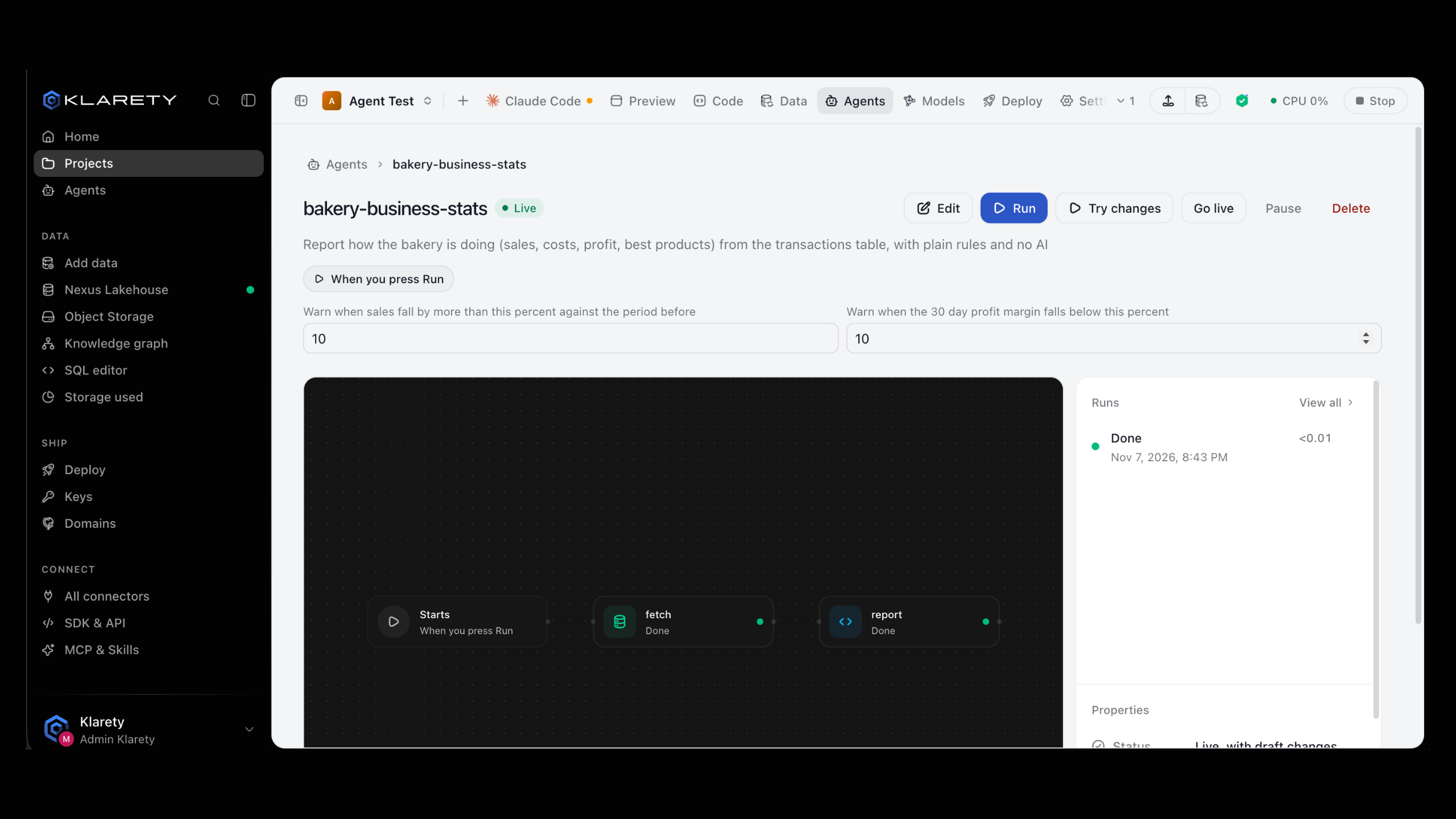
Open the agent. The Runs panel shows the latest; View all opens the full list with each Run, when it Started, how long it Took and its Credits. Filter by All, Running, Done or Failed, and select Load more to go further back.
Each run says how it started: On schedule, Started by a table load, Started by new files, Started by new webhook or Started by an agent.
klarety agent runs daily-summary --project PROJECT_IDThe CLI shows the latest few runs. In Python, runs reads further back a page at a time, newest first:
from itertools import islice
from klarety import Nexus

nx = Nexus.connect()
for run in islice(nx.agents.runs("PROJECT_ID", agent="daily-summary"), 50):
    print(run)

for day in nx.agents.stats("PROJECT_ID", days=7):
    print(day)
stats returns runs per day, newest first: how many, how they ended and what they cost. To resume paging from another process, use runs_page and pass its next back as after.
Read a run
A run shows the agent's flow with each step's state: Waiting, Running, Waiting for you, Done, Reused, Failed, Declined, Stopped or Skipped. A step that runs once per item shows its progress, for example "12 of 40 items".
Select a step for its settings, then Log and files to read what it printed and download what it made. Result shows what the run produced: rows (with "Showing X of Y rows" for a long result), text or files.
run = nx.agents.run("PROJECT_ID", RUN_ID)
result = nx.agents.result("PROJECT_ID", RUN_ID)
print(nx.agents.log("PROJECT_ID", RUN_ID, "summary"))
for name in nx.agents.outputs("PROJECT_ID", RUN_ID, "summary"):
    data = nx.agents.output("PROJECT_ID", RUN_ID, "summary", name)
result holds the result step, its value (up to 1 MiB) and the files the run left. For a step that runs once per item, pass item= to log, outputs or output.
Approve the next step
An Asks you first step pauses the run and asks a question, such as "Save these scores to the ai_scores table?". The run shows Waiting for you, and the agent moves to Needs you on Agents.
Open the waiting run
Open the agent from Needs you and select the waiting run.
Check what it is about to do
Read the earlier steps' output, such as the scores it wants to save.
Answer
Select Yes, continue, or No, stop here to end it as Declined; nothing after the approval step happens.
nx.agents.answer("PROJECT_ID", RUN_ID, "approve", yes=True)step_id is the approval step's id in the agent's file. yes=False stops the run there.
No cannot be undone
A declined run ends there. To do the work after all, start the agent again or use Run again from here on a later run.
Stop a run
Select Stop on a run in progress. It ends as Stopped; finished steps keep their output.
klarety agent stop RUN_ID --project PROJECT_IDRun again from a step
Saves time and credits
Steps before the one you pick are reused, not run again.
When a run fails partway or a step was interrupted, open the run, select the step to start from and select Run again from here. The new run reuses the earlier outputs (shown as Reused) and runs that step and everything after it.
klarety agent rerun RUN_ID --from-step summary --project PROJECT_ID{
"run_id": "..."
}What runs cost
Each run uses from your , shown in the Credits column. The Agents page shows Credits today and runs for this week; balance and spend are in SettingsUsage & limits. A paused or deleted agent starts no new runs, so it stops using credits.
If something goes wrong
- A run failed: open it, find the step marked Failed and read Log and files. If the cause has passed (for example, a web address that was down), use Run again from here on that step.
- "This step was retried after an interruption": a service the step called may have been called twice. Check it if a duplicate would matter.
- A run waits for a long time: it is probably at an Asks you first step. Look under Needs you.
- "This run ended before it produced a result": it failed, was stopped or was declined before the result step. Check which step ended it.