

Try, go live and pause
Test an agent's draft, take it live so it runs on its own, and pause it when you need to.
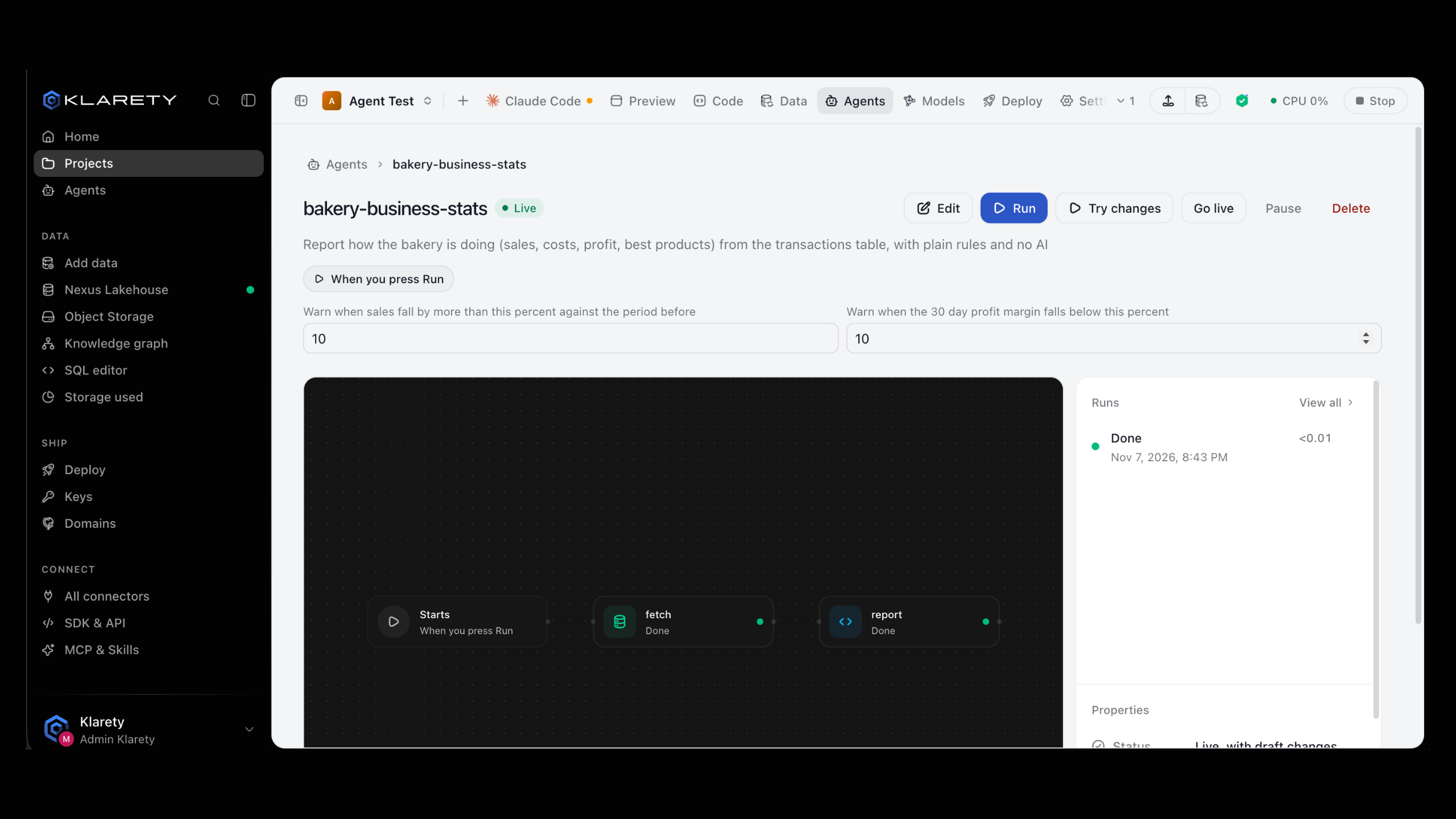
An has three states:
- Draft: runs only when you try it.
- Live: starts on its own on its schedule or trigger, and spends the 's .
- Paused: stops starting on its own until someone takes it live again.
A live agent runs unwatched and costs credits, so only a workspace owner or admin can take one live.
Before you start
| To | You need |
|---|---|
| Try a draft | To be able to edit the project |
| Run a live agent now | To be able to open the project |
| Go live, or make an earlier version live again | To be a workspace Owner or Admin |
| Pause or delete | To be able to edit the project |
Anyone else sees "A workspace admin takes agents live." are set in SettingsMembers (see Members). The AI in a Studio can never take an agent live or delete one; it can only ask.
Try a draft
Try it runs the newest draft once, now. Nothing goes live and no schedule starts.
Open the agent
Open it from Agents or from the project's Agents tab.
Select Try it
The opens and you follow each step. On a live agent with draft changes the button reads Try changes; the live version keeps running.
Check the result
Read its Result, and open Log and files on any step. If it is not right, change the draft and try again.
klarety agent test saves the draft from your files and runs it once. Pass inputs with --input name=value (repeatable; 7 is read as a number and true as a boolean).
klarety agent test daily-summary --project PROJECT_ID --input table=sales.ordersThe answer is the run's id. Follow it with klarety agent show <run_id> and read what it produced with klarety agent result <run_id>.
Go live
A live agent spends credits
Once live, the agent runs on its own and every run uses the workspace's credits. Try the draft first, and pause it when you no longer need it.
Select Go live
On the agent's page, select Go live. The app asks "Take daily-summary live?" (with your agent's name) and reminds you it will spend the workspace's credits.
Confirm
Select Go live again. The agent is Live, its trigger is active, and it moves to Automatic (or On demand) on the Agents page.
The Studio's AI can ask to publish an agent instead. You see a notice, "Your AI asks to publish an agent", with See it, Publish and Not now. Nothing runs until a person selects Publish.
From code you ask; a person decides in the app. klarety agent publish saves the draft and sends the request:
klarety agent publish daily-summary --project PROJECT_ID{
"version_id": "...",
"asked": true
}A workspace owner or admin signed in with their own API key can publish a saved version directly with nx.agents.publish("PROJECT_ID", "daily-summary", version_id). Anyone else gets a RefusedError (HTTP 403), because a live agent spends the workspace's credits.
Run a live agent now
A live agent that starts When you press Run waits under On demand. Open it and select Run.
klarety agent run daily-summary --project PROJECT_IDPause an agent
Select Pause and confirm. It stops starting on its own; runs in progress finish. Go live again any time.
nx.agents.unpublish("PROJECT_ID", "daily-summary")Go back to an earlier version
Every version that went live is kept. Open Earlier versions, pick one and select Make live again. It replaces the live version at once, and needs a workspace owner or admin.
Delete an agent
Select Delete, then Delete agent. It stops and leaves the list. Past runs and their cost stay on record.
If something goes wrong
- Go live is not available: you are not a workspace owner or admin. Ask one to take it live, or ask your Studio's AI to request it so it shows up for them.
- A live agent did not start on time: check that it is Live and not paused. A run that failed shows under Failing; open it to see which step stopped and why.
- Draft changes are not running: changes stay a draft until someone takes them live. The status reads Live, with draft changes.