What agents do
Agents read your data, think it through with AI and write the result back, on a schedule or when data arrives.
An works on its own. It reads your data, does something with it (runs code, asks an AI, researches the web) and saves the result to a table, a file or a short answer. You describe the job in plain words, and the AI in your project's Studio builds it as a draft.
Use one for work that repeats: a morning summary, scoring new rows, copying a web API into a table every hour, a weekly report.
How an agent is built
Every agent belongs to one project and is made of steps. Each step does one thing, and later steps use what earlier ones made. Click any step on the agent's page to see its settings.
| Step | What it does |
|---|---|
| Code | Runs a short Python file you or the AI wrote. |
| AI | Asks an AI model to read the step's input and answer an instruction. |
| Researches the web | Looks things up on the web and writes down what it found. |
| Reads data | Runs a query on Nexus, your database. |
| Saves to a table | Writes rows to a : Add rows, Update or add, or Replace all. |
| Asks you first | Pauses the run and waits for a person to say yes or no. |
| Starts another agent | Hands work to another agent. |
A step can run once for each item an earlier step made, with a setting for how many run at once. It can run only when a condition is true, retry after a failure (Retries) and stop after a Time limit. An AI step can use a specific Model; left on the plan default, it follows your plan.
When an agent starts
- On a schedule: every hour, daily at a set time, or on chosen days of the week.
- When files arrive in a folder in Object Storage.
- When rows load into a table.
- When a webhook calls.
- When you press Run.
Automatic starts only work once the agent is live. Until then it is a draft you can try as often as you like.
How a run works
Each start makes a . It goes through the steps in order, and each step shows its state: Waiting, Running, Done, Failed, Skipped, or Waiting for you when it asks for approval. A run ends as Done, Failed, Declined (someone said no at an approval) or Stopped.
The run's Result shows what the agent produced: rows, text or files to download. Every step keeps its log and files. See Runs and approvals.
Agents ask before changing anything important
An Asks you first step can go before anything that saves or changes data. The run pauses there and the agent appears under Needs you on the Agents page. Nothing after it happens until a person chooses Yes, continue.
Drafts, live agents and who decides
You work on a draft. Try it runs it once, now, and nothing goes live. When it does what you want, a admin chooses Go live. From then on it starts on its own and spends the workspace's credits. Any earlier version can be made live again. See Try, go live and pause.
Only a person takes an agent live
The AI in your Studio can build and try agents, but it cannot take one live. When it asks to publish an agent, you see the request and decide. Only a workspace owner or admin can take an agent live.
What agents cost
Runs use from your workspace. Each run's cost is in the Credits column of the runs list, and the Agents page shows Credits today and runs for the last week. Balance and spend are in SettingsUsage & limits.
The Agents page
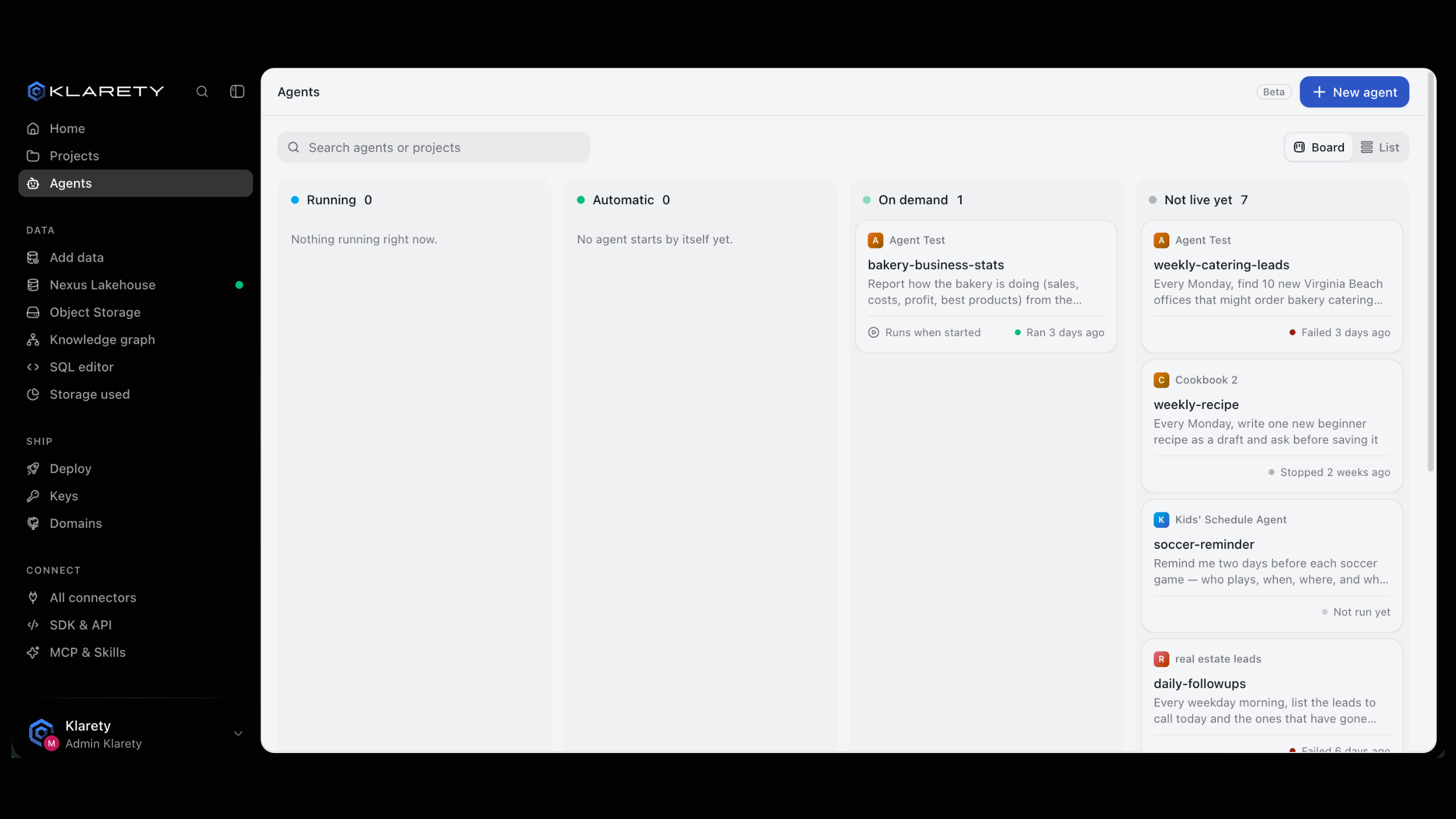
Agents shows every agent in the projects you can open, grouped by what needs attention first:
- Needs you: a run is waiting for your approval.
- Running: a run is in progress.
- Failing: the latest run failed.
- Automatic: live and starts on its own.
- On demand: live and waits to be started.
- Not live yet: still a draft.
Switch between Board and List, or search by agent or project name.