

Credits, usage and limits
How credits work, where to see spend, and how to buy more.
pay for usage across Klarety. 1 credit is 1 US dollar. , queries and storage, deployed apps, AI replies and all draw from one balance, shown in SettingsUsage & limits (account menu, Credits).
Where credits come from
| Kind | Where it comes from | When it ends |
|---|---|---|
| Plan credits (Monthly credits) | Your Pro plan, every month | Reset at renewal. Unused credits do not roll over. |
| Additional credits | Buy more credits | No expiry. Used after plan credits. |
Free Trial credits
The Free Trial includes credits to try everything. Monthly credits come with Pro. See Plans and billing.
Read your balance
The tiles at the top of SettingsUsage & limits show:
- Credit balance, split into plan credits and additional credits.
- Month-to-date cost.
- Credit runway: how long credits last at recent usage.
- Forecasted cost to renewal, after one full day of usage.
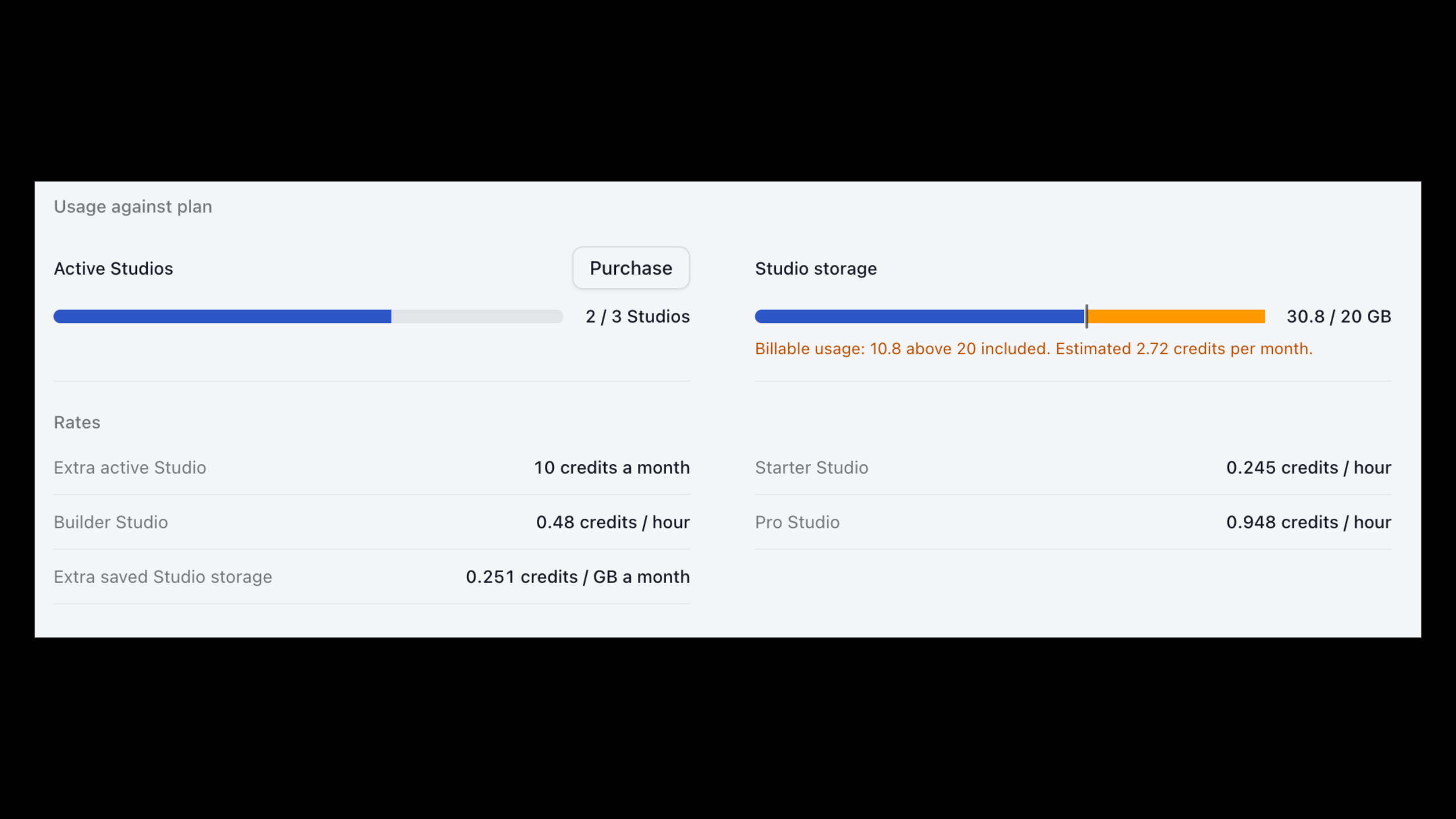
from klarety import Nexus

nx = Nexus.connect("YOUR_API_KEY")
print(nx.account().credits)
print(nx.limits())
Over HTTP, read your plan's limits with GET /v1/limits. See Limits.
See where credits go
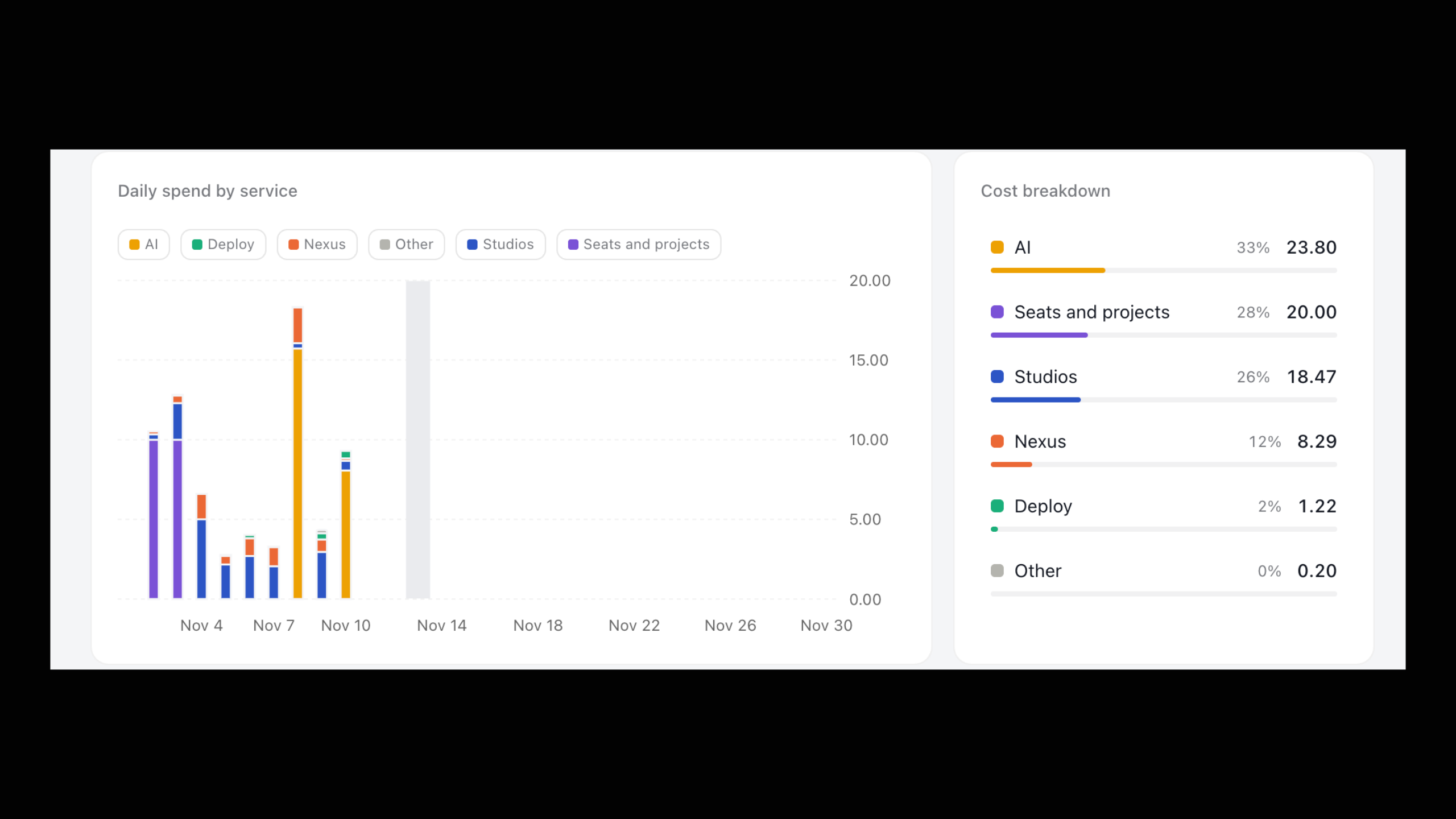
Cost and usage breaks spend down by service: Nexus, Studios, Deploy, AI and Seats and projects.
- Filter by Project, Member, Service and Date range (presets from This month to Last 90 days, or a custom range up to 92 days).
- By project and By member show who spent what.
- Select a service to see its Cost breakdown.
Transactions
Transactions lists every credit movement, newest first, with Date, Description, User, Credits and Project, following the filters above.
| Description | Meaning |
|---|---|
| Monthly credits | Plan credits added at renewal |
| Credit purchase | Credits you bought |
| Usage | Credits spent |
| Refund / Adjustment by Klarety | Credits returned or corrected |
| Expired at renewal | Unused plan credits removed |
A usage line can be marked "reserved" (credits held while work runs) and "unused reservation returned" (what was not spent).
Owners and admins only
Only owners and admins see Transactions, buy credits or change monthly credits.
Usage and limits
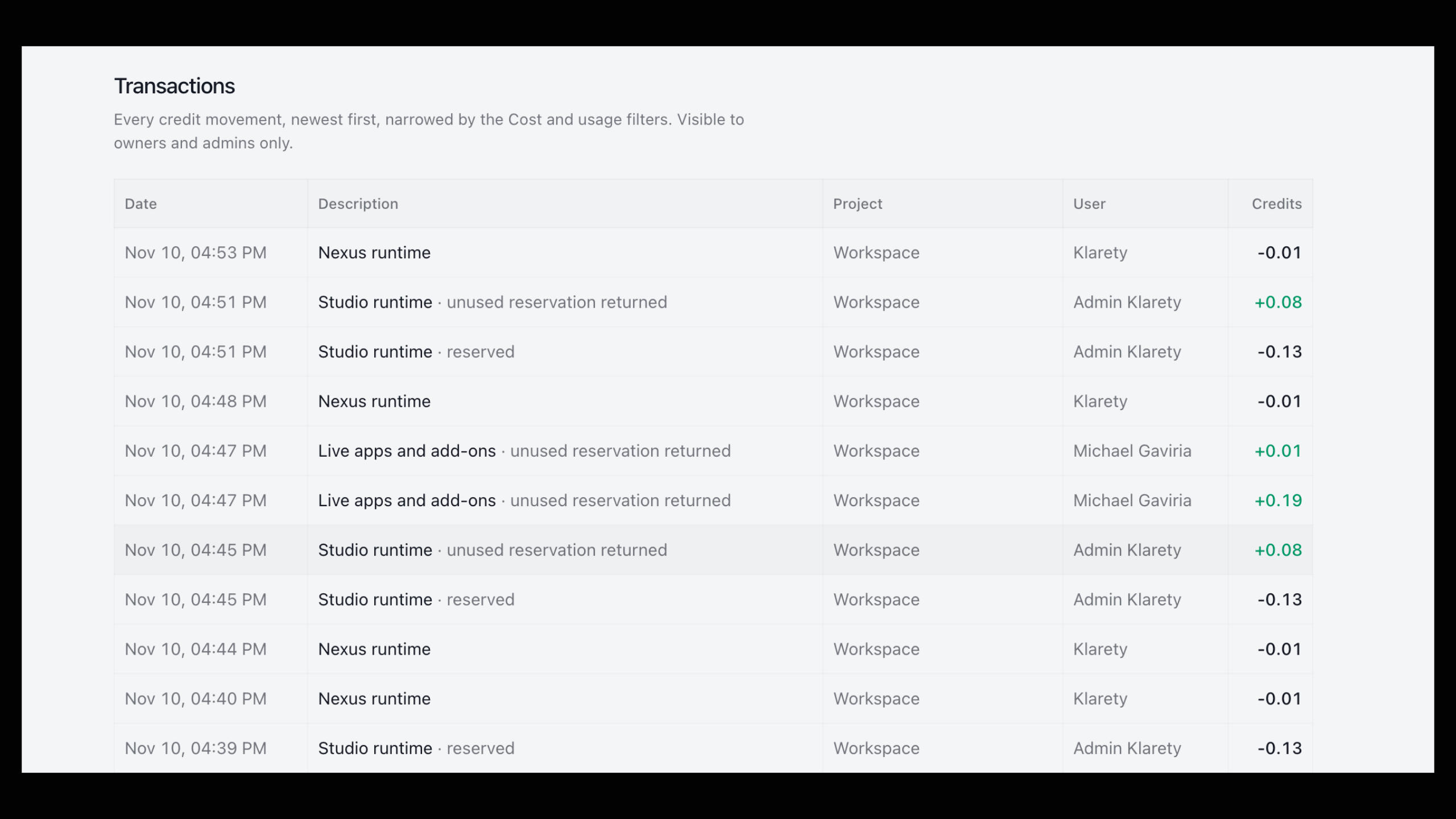
Usage and limits compares usage with your plan: projects, seats, active Studios, Studio storage, Nexus storage, app images, live apps, data transfer out and logs. A bar turns to Approaching limit and then Limit reached.
Usage above the included amount is billed from credits, up to your plan's limit. Where you can buy more, select Purchase; otherwise Contact us.
Add-ons
Add-ons are billed from credits monthly, on top of your plan: additional seats, active Studios, Studio storage, Nexus storage, live apps, app image storage, always-on apps, projects and secrets. Each shows its monthly cost, plus a Monthly total.
Add-ons renew every month
An add-on is charged the day you add it, then at each renewal. Remove it in Usage and limits when done.
Buy more credits
Open the dialog
In SettingsUsage & limits, select Buy more credits (or Monthly credits).
Choose an amount
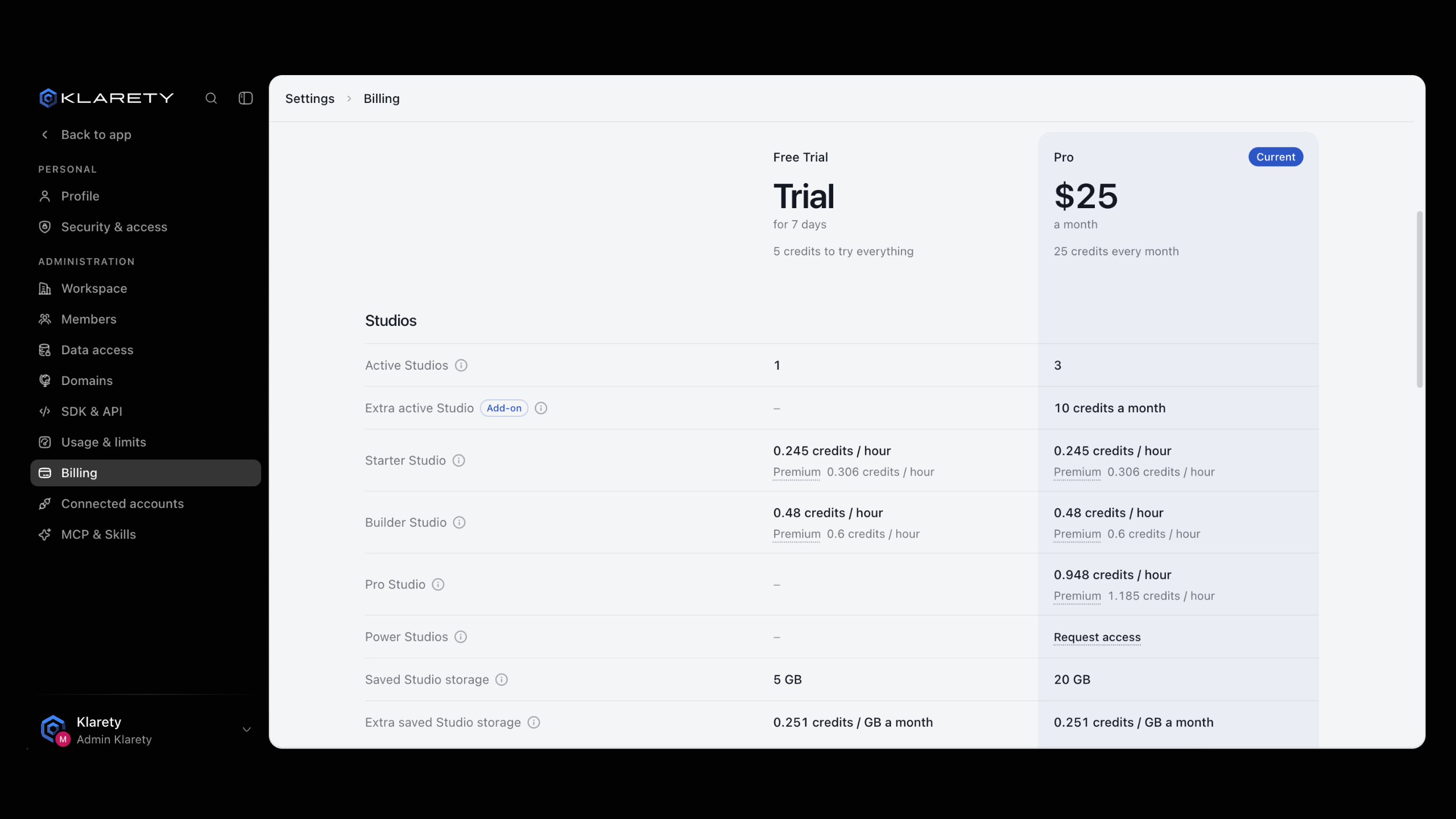
Enter a New monthly amount above your current one. You see what you pay today and what you get from the next renewal. The renewal date does not change.
Pay
Select Pay to confirm.
A smaller amount lowers monthly credits from your next renewal; this month stays as is and nothing is refunded.
When credits run out
Usage pauses, data stays
With no credits left, usage pauses until you buy more or your plan renews. No data is deleted.