

What Nexus is
Nexus is your workspace's database: open Apache Iceberg tables, files in folders, and the Nexus engine that queries them.
is your 's database. It holds tables, which you query with SQL, and files, which you keep in folders. Projects, agents, apps and the SDK all use the same Nexus, each with the access you gave it.
What Nexus holds
| What it is | Where you see it | |
|---|---|---|
| Tables | Rows and columns you filter, edit and query with SQL | Data, Nexus Lakehouse |
| Files | Any kind of file, kept in folders with every version | Data, Object Storage |
| Knowledge graph | The things in your tables and how they link | Data, Knowledge graph |
An uploaded spreadsheet is kept as a file, and you can turn it into a table in one step. A folder can import every new file into a table automatically.
Tables are open Apache Iceberg tables
Nexus stores tables in the open format. That gives you:
- History. Every change is kept as a version. See who changed what, and go back when something goes wrong.
- No lock-in. Iceberg is an open standard that many tools read.
- One way to work. Small and large tables are queried, changed and restored the same way.
Compute and storage run on AWS.
Schemas group tables
A is a named group of tables, such as sales or marketing. Every workspace has a default schema that always exists. sales.orders is the table orders in sales; a name with no schema, such as orders, means the table in default.
Schemas keep areas of work apart and let you give access to a whole area at once (see Data access). A schema can only be deleted once it holds no tables and no files.
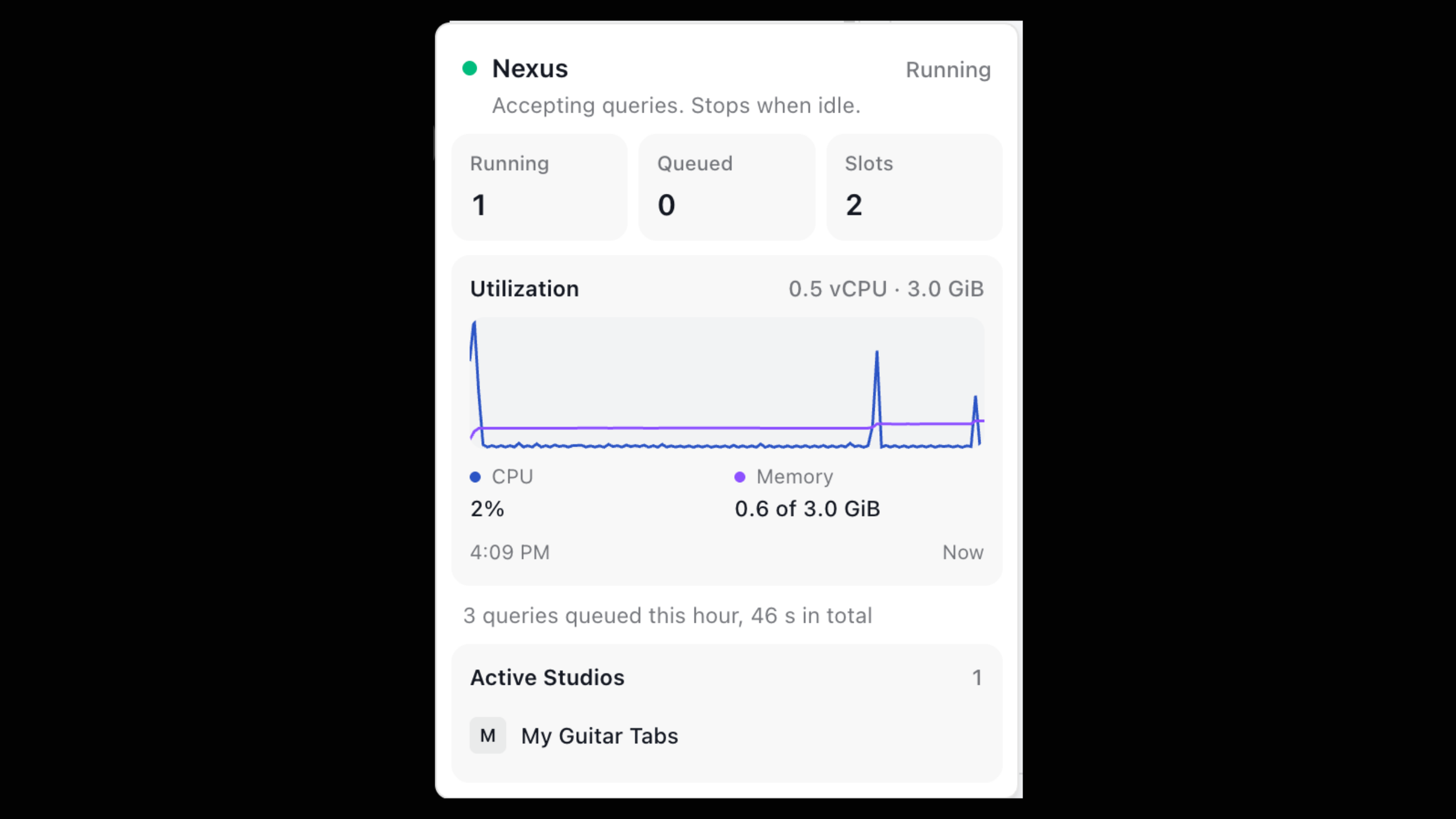
The Nexus engine runs your queries
Queries run on the , which speaks Spark SQL: SELECT, joins, GROUP BY, window functions and the rest work as you expect. Each query is checked first: it only reaches tables you have access to, and only reads as much data as your plan allows. You can ask what a query would read before you run it.
Before you start
- A workspace you are a member of.
- Access. Owners and admins reach everything. Members reach everything unless an admin limits them. See Data access.
- Your plan's limits. Storage, how much one query may read and how many rows come back depend on your plan. See them in SettingsUsage & limits, or in code with
nx.limits().
Plan limits
Limits differ by plan. Always check your own in SettingsUsage & limits rather than assuming.
Find your way around
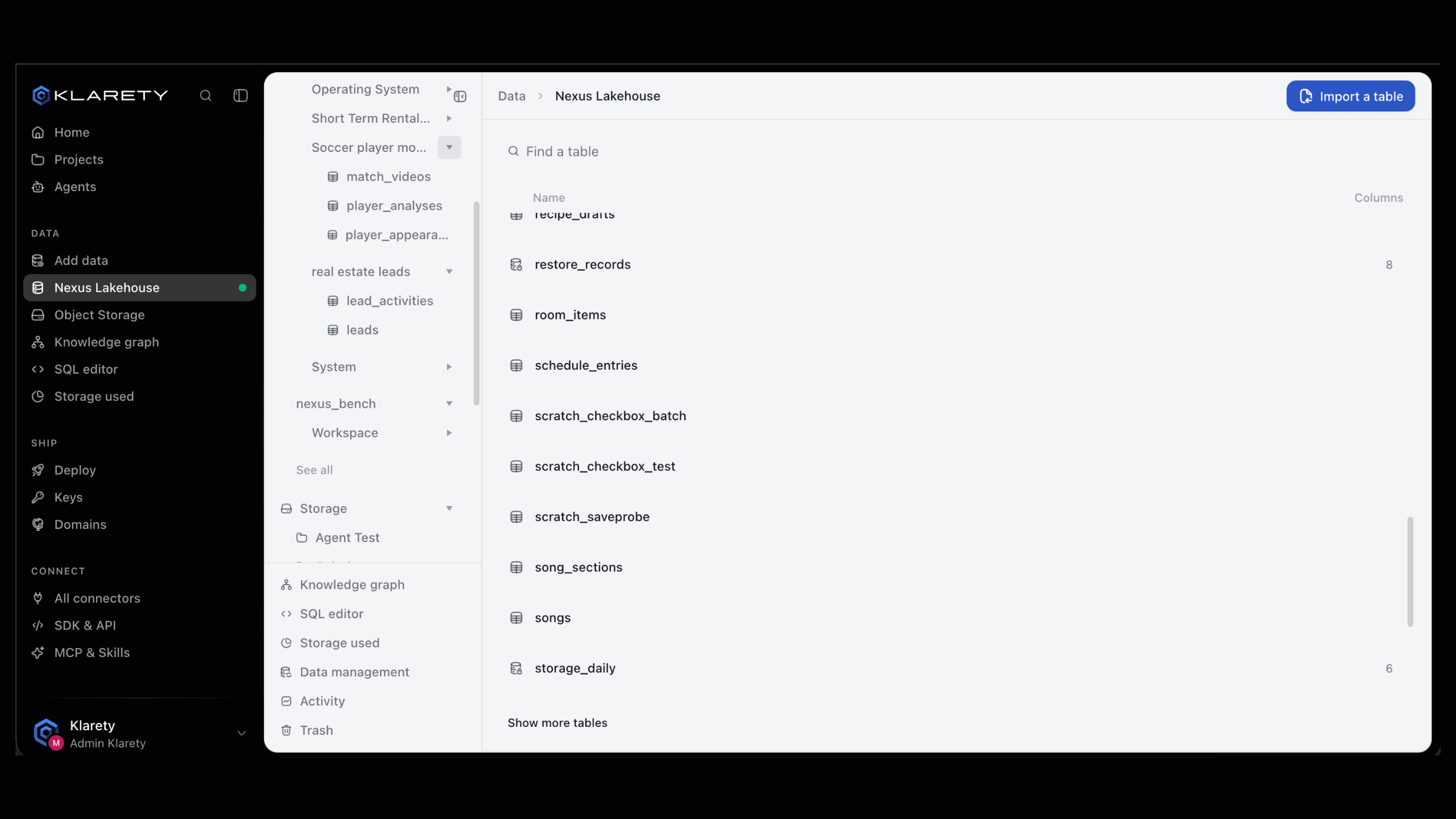
Open Data. The Data area has these pages:
- Add data: upload files, turn a spreadsheet into a table, or browse connectors.
- Nexus Lakehouse: every table you can reach, by schema.
- Object Storage: your folders and files, with Trash and Activity.
- Knowledge graph: the things in your data and how they connect.
- SQL editor: write and run queries.
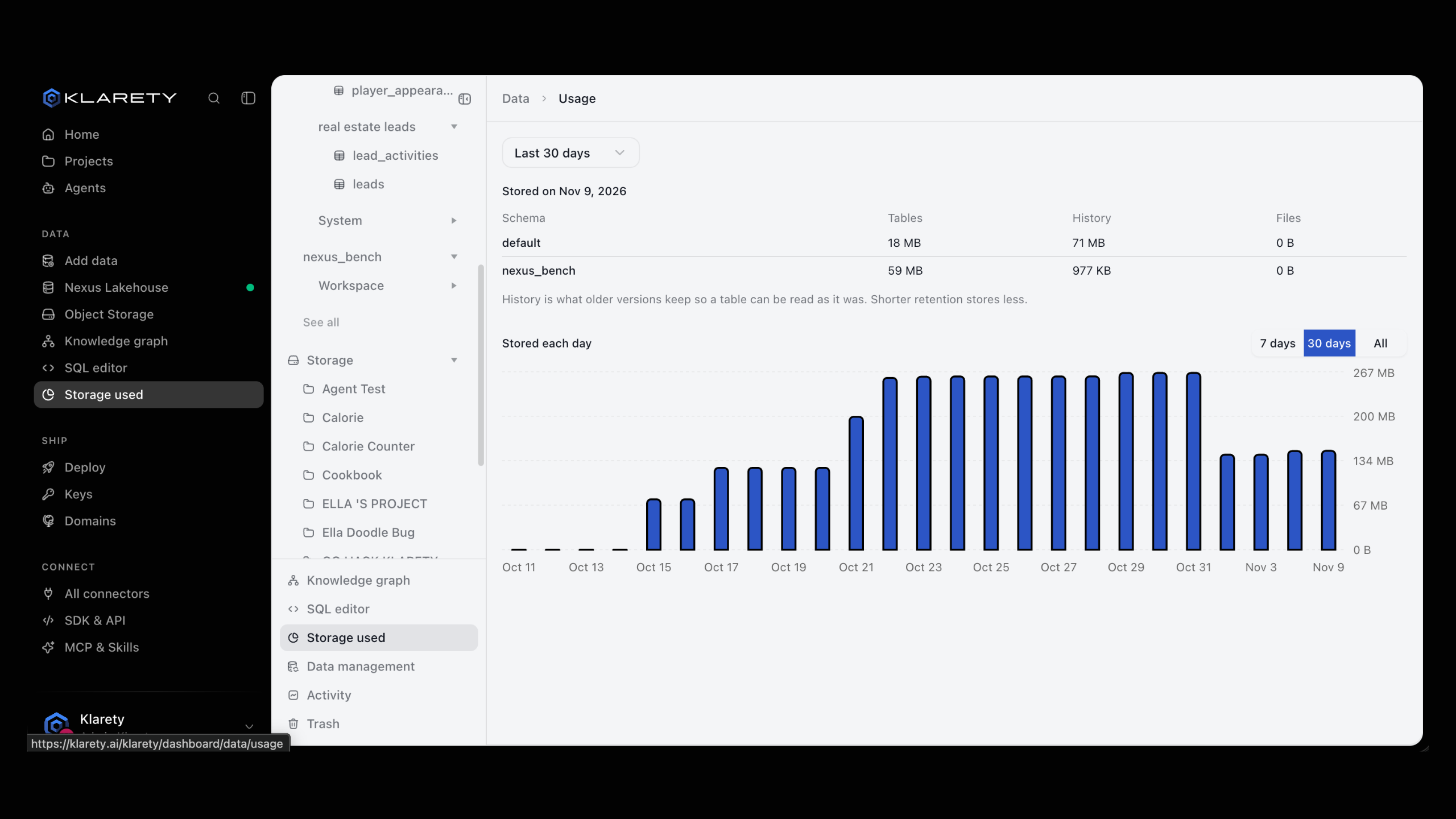
- Storage used: how much each schema stores, day by day.
- Data management: what changed in your data, and putting things back.
Available on request
The Klarety SDK and CLI are available on request. To request access for your workspace, contact us.
Install the and connect with an from SettingsSDK & API:
pip install klaretyfrom klarety import Nexus
nx = Nexus.connect("YOUR_API_KEY")
for schema in nx.schemas.list():
print("schema", schema)
for table in nx.tables.list("default"):
print("table", table)
result = nx.sql("SELECT 1 AS ok")
print(result.rows)
nx.close()Nexus.connect() also reads the key from KLARETY_API_KEY. The Nexus object groups everything by area: nx.tables, nx.schemas, nx.folders, nx.files, nx.knowledge_graph, nx.restores and nx.access.
How your data stays safe
- Every change is kept. Tables keep their history and files keep every version. Deleted tables, folders and files can be restored for a while after.
- Access is checked on every request. People, projects and API keys reach only what they were given.
- Secrets are encrypted with a managed key service.
- A read-back check. Data management shows how long changes are kept, how long deleted items can be restored, and when the platform last checked that every file reads back.
Where to go next
- Add data: bring your first file or spreadsheet in.
- Work with tables: browse, edit, check and see history.
- Query with SQL: run your first query.
- Data access: choose who reaches what.