

Create an agent
Describe the job in plain words and the AI builds the agent as a draft.
Say what the should do and when. The AI in your project's Studio turns your words into steps and code and saves a draft. A draft never runs on its own, so you can try and change it freely.
Before you start
- A you can edit. The agent uses that project's data access.
- Data the project can reach: a table in Nexus, a folder in Object Storage, or a web address.
- Building needs no admin. Taking it live does (see Try, go live and pause).
Describe a new agent
Open Agents
Go to Agents and select New agent. You can also open a project and use its Agents tab.
Pick the project
Choose the Project. Its data and access come from there.
Say what it should do, and when
In What should it do, and when?, name the data, what to do with each item, where to save the result, and when to start. For example:
Every morning at 7, read yesterday's rows in sales.orders, have AI flag any order that looks unusual with a one-line reason, ask me, then save the flags to sales.order_flags.
Select Ask the AI.
Let the AI build the draft
The Studio AI writes the steps and code and saves a draft. If the Studio is not running, the app says Queued until the Studio opens.
Check the draft
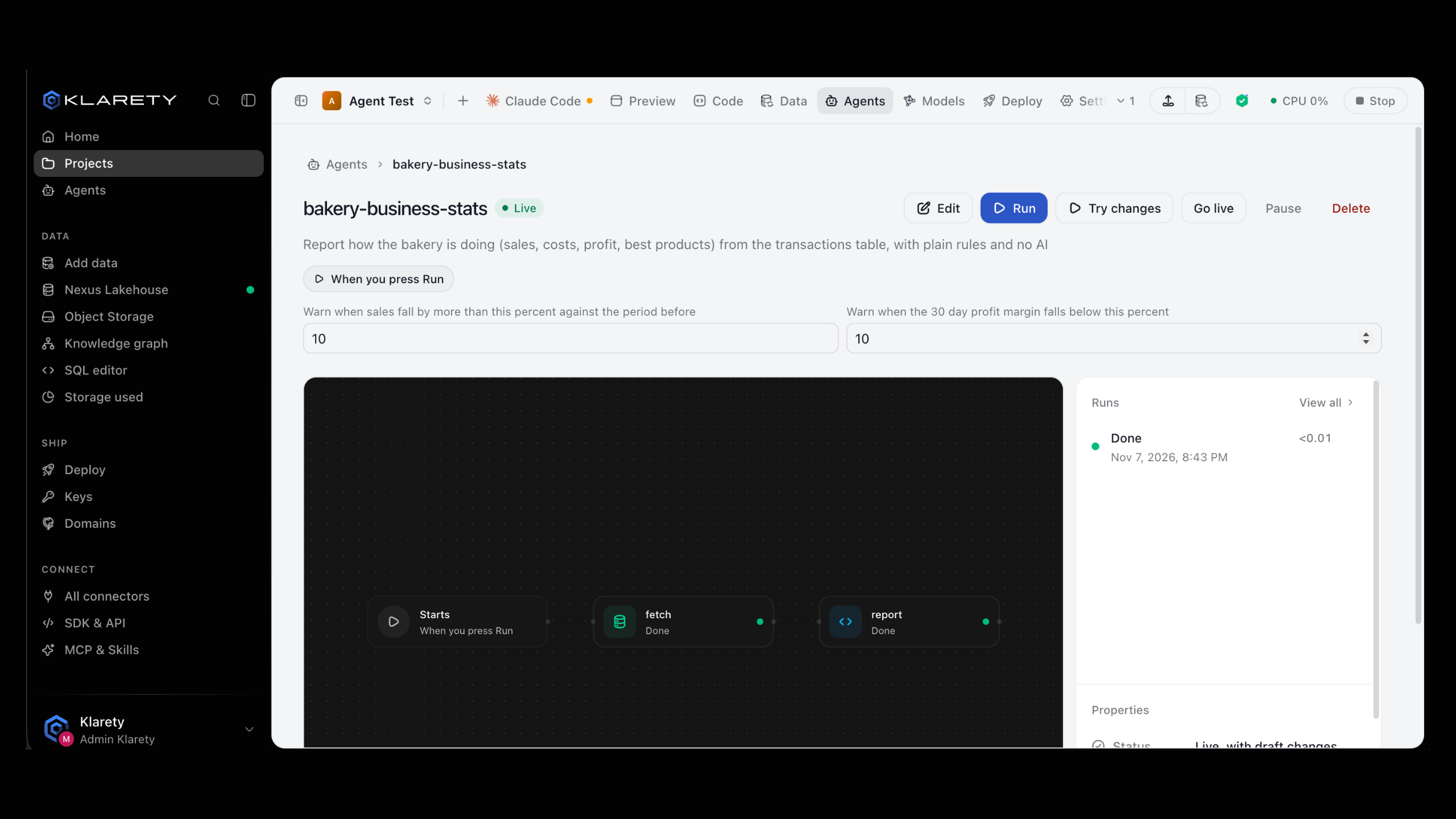
Open the agent to see its steps as a flow and what starts it. Click a step for its instruction, query, table, retries and time limit.
An agent is a YAML file at agents/<name>.yaml in the project, with its Python code in agents/<name>/. This is the Daily summary of a table template, as it ships:
description: Summarise a table every morning
trigger:
  schedule: {at: "08:00"}
inputs:
  table: {type: string, default: my_table, description: The table to summarise}
steps:
  - {id: rows, kind: code, run: read_rows.py}
  - id: summary
    kind: ai
    needs: [rows]
    prompt: Summarise these rows for a busy manager in five short bullet points. Point out anything unusual.
result: summaryfrom klarety import Nexus, step
table = step.inputs()["table"]
if not table.replace("_", "").replace(".", "").isalnum():
raise ValueError(f"{table} is not a table name")
with Nexus.connect() as lakehouse:
rows = lakehouse.sql(f"select * from {table} limit 200").rows
step.output([dict(row) for row in rows])A step's kind is one of code, ai, think (researches the web), sql, write_table, approval or agent. needs lists the steps it waits for, for_each runs it once per item an earlier step made, and result names the step whose output is the run's result.
Check the file, then save it as a draft from the project's folder. The CLI and the SDK agents reference cover every option.
Sign in first
Outside a Studio, sign in once with klarety login <api-key> or set KLARETY_API_KEY. See Authentication.
klarety agent check daily-summary --project PROJECT_ID
klarety agent save daily-summary --project PROJECT_ID
Inside a Studio, --project can be left out: the CLI uses the Studio's own project. To have the Studio's AI build the agent from plain words instead, queue a request:
nx.agents.ask_ai("PROJECT_ID", "Every hour, copy https://api.example.com/items into a table")Change an agent
Open the agent, describe the change in What should change? and select Ask the AI for this change. To change one setting yourself, select Edit, click the step, change it and select Save draft.
On a live agent, changes stay a draft (Live, with draft changes) until it goes live again; the live version keeps running.
Edit the YAML or the code and run klarety agent save <name> again. Each save is a new draft version; the live version does not change until a person takes the new one live.
The Studio does not need to be open
If the Studio is stopped, your request is kept and the AI starts on it when the Studio next opens.
What you see when it worked
The agent appears under Not live yet, marked Draft, with Starts once live on automatic starts. Next, Try it runs the draft once, now.
Write a good description
- Name your data exactly: the table, the folder, or the web address.
- Say when it starts: a time and days, "when files arrive in invoices/", or "only when I press Run".
- Say where the result goes: a table, a file, or just a short summary.
- Ask for a check before anything important. Saying "ask me before saving" adds an Asks you first step.
If something goes wrong
- "No project you can edit yet": you are not an editor of any project. Create a project or ask its owner.
- The request waits: the Studio is not running. The AI starts on it when the Studio next opens.
klarety agent checkreports a problem: the YAML has a mistake, and the answer says what. Fix the file and check again.- "name the project with --project, or run this in its Studio": outside a Studio, pass
--project.